The last week and a half has been a whirlwind! Last Monday I was asked to take over two French classes (again) for an undetermined period of time. I spent a couple days trying to wrap my brain around that. On my way out of the building on last Thursday, I ran into our superintendent. He informed that they had hired a French teacher…and that she would be taking over classes this week! I taught Sunday and Monday…and now I’m free again! From thinking that I would teach French for the rest of the school year to knowing it was only a couple of days – it’s been crazy. I do have to say I’m relieved that they were able to hire a qualified teacher (she’s from France AND has teaching experience in the Middle East) and that I’ll be able to continue focusing on my job as Technology Coach.
Last week I saw a post on the Google Drive Blog about the Gone Google Story Builder. Google suggested using the Story Builder to write songs or a story. My mind immediately went to the possibilities for education. This looks like a great tool for language teachers! The Story Builder is exclusively for dialogue which seriously restricts students…but that might be a good thing. This could be an option for students in English classes who are focusing solely on dialogue. Students in World Language classes could turn in the text to skits using the Story Builder. In Social Studies, students could create dialogues between historical (or present day) figures.
I played around with it myself a little for a French class. There are two important things to know – you can only create 10 characters and 10 exchanges (2 characters could each speak 5 times, 10 characters could each speak once). This does limit dialogues a bit, but I think it would be ideal for quick in class assignments. Once the story is built, you can choose music (or not) and share the link. Click here to view my story. Enjoy! 🙂
After 2 months of getting used to my job as a technology coach, I’m back in the classroom teaching French. I have taken over 2 of the 3 classes that I taught for 2 weeks at the beginning of the year. Yes I thought I was done…guess I wasn’t! I’m telling myself that I will be in this position until the end of the school year to get my mind right. Like I told the students, the only thing that we can control in this situation is how we react. I’m trying to emulate flexibility for them. I have a lot of work to do to reign the back in and classroom management will be a challenge. But I am staying positive and hoping that I will also be able to be an example to other teachers for how to meaningfully integrate the iPad into lessons. We shall see 🙂
Two months ago, after school had started and teachers started worrying about how they would use iPads in their classrooms, I started doing some research. One of the teachers’ biggest concerns was projecting what they were doing on their iPads for the class to see. What follows is how we went about making the choice and what is coming next.
We knew that you could connect an iPad using a dongle but this solution presented many (obvious) disadvantages. Although teachers could share them if needed, it would be ideal to have one for every teacher (at $30+ a piece). There would be no worries about students messing with the connection, however teachers would be confined to their desk. Another option was Apple TVs. We would still need one per teacher ($99 each) and there didn’t seem to be any privacy settings (read: students could easily ‘take over’ and project their iPads). We kept looking.
About this time I stumbled across Reflector App. I had a difficult time finding teachers and schools currently using it, so I decided to do my own experimenting. I bought a single user license for my laptop (normally $14.99, currently $11.99). After installing Reflector on my laptop, I began playing with it. Using AirPlay (must have iPad 2 or newer & wireless internet), I was able to wirelessly mirror my iPad onto my laptop screen. I was excited that this might be a solution for our teachers! I went a step further and created a couple videos for iPad PD showing teachers how to use the calendar app. I was pumped!
And then I brought my laptop to school…it didn’t work! The last month, I have spent time talking with people at Reflector and our network administrator here. Reflector nformed me that bulk purchasing licenses would bring the price down to $8 each and that we could password protect the ability to mirror to the PC (HUGE!). On our end, we were able to open a couple ports and get my laptop on the same wireless network (and subnet) as my iPad. On our network, you cannot connect a wireless iPad to a wired computer because there is no way to make them on the same subnet (however the Reflector staff says this is possible when on the same subnet). The Reflector support staff has been wonderful answering my questions though email and on Twitter. They shared a blog post with me from an educator using Reflector & Air Server. (I did take a little time to research Air Server. There are many similarities, but I was more impressed with Reflector online presence and had already been in contact with the Reflector staff.)
I’m excited to say that the purchase of licenses for our staff has been approved! We are taking this process slowly so that we can get feedback and have a support system in place for teachers as they start using it. We will be setting up computers (installing Reflector & wireless cards) in sets of 5. I have the difficult task of choosing which teachers will start the rollout.
I am looking for teachers who:
*are relatively savvy with technology and are fast learners.
*are eager and willing to incorporate the iPad in their classrooms.
*like to try new approaches and are comfortable enough to experiment.
*enjoy sharing their knowledge with colleagues.
Some issues we’ve already encountered:
*all computers using Reflector will show up on AirPlay on the iPad (if there are 100 computers with Reflector, you will be able to see and choose from all 100).
*we are running Windows 7 32-bit Professional. When Reflector is installed & authenticated on the admin profile, it is not authenticated on a teacher profile (prompts you to enter license serial code again).
My goal is to keep a “journal” of how we are using Reflector in the school and classroom. When I was looking into solutions, I couldn’t find many educators who were using Reflector. I’d like to be able to help others who are interested! Please let me know if you have experience with Reflector or if there is anything you’d like to know about the set-up and how we’re using it 🙂
Note: I did not receive any compensation for this review. Just my honest opinion & experience.
Our middle and high schools did a mock election this year. I have embedded the results below. Very interesting! I’m guessing these results will be VASTLY different than the actual results we see tomorrow evening. Enjoy looking and feel free to comment 🙂
I had no part in preparing or collecting this data, I’m just sharing it!
Last month, I bookmarked an article to read – Technology Doesn’t Teach, Teachers Teach by Bill Goodwyn. As I was finally reading it this morning, this quote really jumped out at me:
…we urge our colleagues in the education community to increase their efforts to provide not only the resources to our teachers, but also the necessary professional development [not always mandatory]. We must recognize that the teacher-student relationship comes first. Only then will we continue to see improved results in the wired classrooms of tomorrow.
This got me thinking about what I’ve been doing recently in the professional development category. I’ve been givingPD to our staff, but what have I been doing so that I am becoming a better educator? I’ve also been challenged recently as to why a Technology Integration Coach would need PD other than the IB training offered. Here are some of the PD opportunities I have been seeking out and some of my thoughts…
I don’t do much educational reading over the summer. I rarely get on Twitter and don’t touch my Google Reader. Some may criticize this, but for me it’s a much needed break (especially this year). As we’ve gotten back into the swing of the school year, I’ve been fortunate to have the time each day to spend time reading through my blogs and keeping track of what’s happening on Twitter. I’ve found new people to follow and blogs to read. Although I cherish how my PLN has grown during the last 2 years, I also find myself overwhelmed by all of the educational material put out there on a daily basis. What is actually quality? Who is just trolling for views? Even after you pare down all the information, there is still an incredible amount that is worth reading and using – who has the TIME to do that and how do you choose which tool or idea is best? But attempting to answer these questions is why Twitter and blogs have been and continue to be great places for me to go for self-guided PD.
We are now working at an IB school with all three programs (PYP, MYP, DP). Training teachers in IB is (understandably) a top priority. We currently attend weekly meetings to work towards being category 1 ‘certified’ (we won’t actually get a level 1 certificate, but we will be able to attend category 2 and 3 workshops). It has been very interesting to learn about the IB and MYP curriculum. A lot of it is just common sense & good teaching but quite a bit more is so incredibly different from what I did in the States. I’m eager to learn more in order to collaborate with teachers to integrate technology into the entire IB curriculum.
Wish I would have been able to use the ‘best fit approach’ when I was teaching & grading! #ibmyp
#ibmyp grading practices are blowing my mind! Opposite of everything we did with in the US – no averaging, only summatives count in grade…
— Lissa Layman (@MmeLayman) October 10, 2012
Working in a Google Apps for Education District and using Chromebooks in my classroom inspired my interest in Google Edu. After attending the South Carolina Google Apps for Education Summit in June, I knew I wanted to learn more. Although I would love to attend a Google Teacher Academy, it’s probably not going to happen in the near future. Another goal of mine is to become a Google Certified Trainer. The first step towards achieving Trainer level is to become a GAFE ‘Qualified Individual.’ I’m currently working my way through the modules and I’m half-way there! I still have the longest three modules & exams to complete – Calendar, Docs & Sites. I’ve already picked up so many tips, tricks and ways to incorporate Google into the classroom that I’m excited to keep going. As I continue to learn more…I’ll be sharing the love on Twitter!
One of the ways in which I have grown as a teacher is becoming a ‘sharer.’ I don’t want to just consume on Twitter and blogs. I want to help people through collaboration. I’ve slowly been doing a better job at this – first in my department in SC, then in my district, through my Twitter & blog and more recently by presenting PD to other teachers. While still in South Carolina I was fortunate to have the opportunity to present at a SC AATF workshop, at the SCFLTA conference and at the GAFE Summit. This year, I’m adding presenting to a new staff and presenting at international GAFE Summits to the list. My husband and I were accepted to present at both Bangkok and Mumbai. My presentation is titled “Conjugating Google Apps in the World Language Classroom.” This will be a great opportunity to meet and learn from new colleagues in educational technology from around the world.
But why do all this? Would I still have a job if I didn’t spend hours each day forcing myself to go above and beyond what is expected? Probably. Most people have no idea what I’m doing on a daily basis for my own professional development. Would I feel good about myself if I wasted my time? Probably not. I’m eager to learn in order to help our teachers implement technology meaningfully. Actual technology might not be changing on a daily basis, but HOW people are using it does. I won’t claim to know everything but there sure are a lot of resources out there that can help me (slowly) come closer. I also can’t forget that I am no longer in the classroom; I’m not using technology with my students on a daily basis. My best ideas seemed to come to me in the moment…how can I keep them coming? I don’t want to lose my connection to meaningfully implementing technology in the classroom. The only way to stay current and relevant is to push myself always be ‘better’ than yesterday.
Based on the feedback we received from our staff, we decided to officially start our professional development with ‘iPad Basics’ or as we called it, ‘iPad Tips & Tricks.’ The goal of the PD was to get teachers comfortable with their iPads so that they could become more confident and start experimenting with them in their classrooms. Because we know our teachers are not all at the same place, we created 3 levels of the training. We are offering the sessions on three consecutive Mondays and you can read more about the planning process here.
The three of us split up the presentations…and I was the lucky one selected to do level 3. Although I was not confident to begin with (I don’t have nearly as much experience with iPads as my two colleagues), I’m glad that I had the opportunity to take on the challenge. I learned a lot in the process and even found the Reflector App…which just might be my new favorite discovery. A few notes about the creation of the presentation:
*I took a lot of screen shots on the iPad and edited them with ArtStudio before uploading them to Google Drive using the iPad app.
*I made all the videos using Reflector.
*I used Google Drive & a Presentation to store the pictures and create the presentation.
*I used a Google Form to collect feedback from the staff that attended my session.
Voilà my level 3 iPad Tips & Tricks! Would love any feedback 🙂
We (the technology coaches) started going into the elementary classrooms last week to give mini-iPad lessons before the students get their iPads. I’ve been in classrooms from KG1 (3-5 yr olds) to grade 3. It’s definitely been a learning experience! We’ll continue to go into ES classrooms throughout the next week. I’ll also be subbing for the Language B department head Sunday through Tuesday. I’ll be teaching her DP1 and DP2 classes. Guess I wasn’t quite done 😉
We’ve also started planning PD for the teachers. We asked teachers to complete a needs survey so we could tailor our offerings throughout the year.
About half of our staff completed the survey and @MrLaymanSS made a nice infographic in order to share the results with the admin team.
Starting on Monday, we’ll be offering staff 3 levels of iPad Tips & Tricks and teachers will be ablle to choose which they’d like to attend. I’ll be facilitating the level 3 sessions…any iPad or iOS6 tips & tricks would be much appreciated!
I’ve been working on a Google presentation (will share later), but today I decided to download the Reflection App. I tried the free version first and went to my twitter PLN before paying the $15 to get the full version. I got good input (mercibeaucoup!) and decided to go for it. It seems completely worth the price and I’m eager to experiment with it! The first video I created is for my upcoming level 3 PD showing teachers how to create an appointment in the calendar app. Would love feedback 🙂 Enjoy!
One of the first official things we’ve been asked to do as Technology Coaches is to go into every classroom in the elementary (Pre-K through grade 5) and do a short introductory iPad lesson. We met with the Primary Years Programme coordinators and the Elementary iPad Advisory Group (made up of 7 teachers) to create and refine our ideas for our lessons. It was decided that the most important concept before the students received their iPads was how to treat it (where it should/shouldn’t go, how they should/shouldn’t hold it).
To get started, we created a sign-up sheet for the teachers in Google Docs. We then sent them an email with the link telling them a little about what we wanted to do and asking them to fill in their information.
As a team, the three of us decided to split the grades so that our lessons would be able to be tailored for the target age group. After my two gentlemanly colleagues had chosen, I was left with 3rd grade and half of 2nd. I was a little hesitant and nervous at first as I’ve never worked with students younger than grade 9!
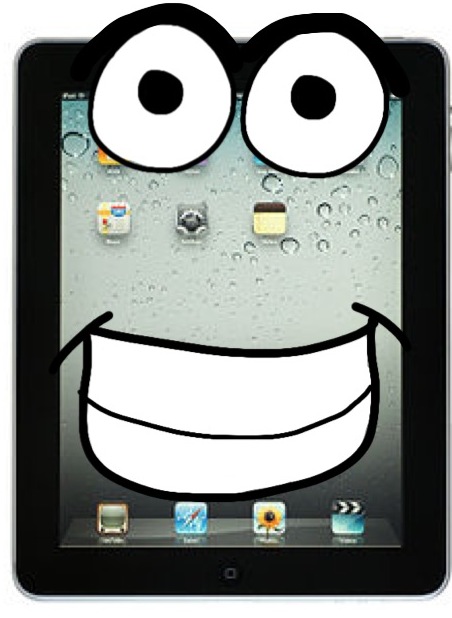
I emailed my elementary counselor friend for some advice, gave my creative juices some time to flow…and voila I had an idea! Using the pictures and cartoons that the guys took and drew, I wrote a short picture book for the students. I based my story off of Are You My Mother? by P.D. Eastman. Here is my book (written using a Google Presentation)…
My first class this morning was a 2nd grade classroom. I started by introducing myself to the students and told them that I work with Mr. Jeff and Mr. Smith. I also explained how we would be coming into their classrooms sometimes to work with their teachers and that they would see us around the school. Before starting the story, I had them read the title and make predictions about what the story was going to be about. While I was reading the story to them, we talked about what made the iPad sad and happy. We talked about how the iPad wouldn’t like the canteen because she doesn’t like food, wouldn’t like the bathroom because she doesn’t like water and how she doesn’t like being up too high or down low. The story ended up being more interactive than I thought it would be…for each picture the students tried to find the iPad and it become like a “Where’s Waldo?” game. It was fun and they really seemed to get into the story 🙂
I then asked them for their help. I told them how I knew a little boy who needed their help deciding how to treat his iPad. For each drawing (thanks bunches to Matt!!), they raised their hand if they thought it was a good way or a bad way to treat the iPad. Before showing them the “answer,” I had a couple students share about why they thought it was good or bad. We talked about why it would make the iPad happy or sad and I reiterated to them that I would be sharing their advice with the little boy. Before letting them switch to question mode, the teacher and I steered them towards giving me advice about what should be put in the iPad (only charger, headphones & case), what shouldn’t be put with the iPad in their backpack (no food/drink) and how the iPad should always stay in the keyboard case (unless a teacher tells them differently).
When I took out my iPad to demonstrate some of the things that might make the iPad happy or sad, they were in awe (they literally cooed when I took it out of my bag!). They loved seeing it and were excited to be able to get their own soon. I then let them ask me questions. I quickly saw that there were going to be WAY too many questions in the time we had (the whole lesson lasted about 30 minutes), so I asked them to talk with their table groups in order to come up with 1 question. This was great because they had to work together to pick a question and then also to pick who would ask it.
Overall the lesson went way better than expected! The students were adorable, asked great questions and had great advice! It was so different to be in a lower elementary classroom (as opposed to high school) where the students are eager to share and thirsty for knowledge. They really seemed to connect with the characters in the story…let’s just hope they remember when they get their iPads! This afternoon I’ll be working with a 3rd grade class. Who knew elementary could be so much fun? 😉
All the credit goes to Matt for this cartoon!
Update: Today I walked into a 3rd grade classroom and was told they didn’t have a projector…uh crap?! Luckily I created my book as a Google presentation and have the Google Drive app on my iPad. I had the students gather on the carpet and read them the story on my iPad 🙂 It worked really well…maybe even better than when it’s on a big screen!
Update #2: I had my first experience with KG1 students today! Going from high school to elementary was a big jump, but going from 2nd & 3rd graders to 3 & 4 year olds was almost as big. They are SO tiny! The class I was in was sitting “criss-cross applesauce” on the carpet. Each student had a piece of tape with his/her name on it and they had to keep their bums on the tape. They don’t have projectors in the KG1 classrooms, so I used the iPad as a book strategy. I also cut down on the examples of how to hold the iPad after the story. I brought the keyboard case (sans iPad) and let each child stand up to practice “hugging” it. They all clapped for each other and it was adorable! Some other adjustments I made – we skipped the predicting about the story and the giving advice part. I did allow them to ask questions, but they didn’t really know how to so they told me some stories instead. Incredibly cute…but no way could I teach little ones all day! 🙂
Today is my first school day in just over 3 years that I am not teaching French. Wow…that’s a pretty big statement! Although it feels good to no longer be the short term teacher this year, it’s also a little weird to think about!
Luckily we have a great middle school French teacher who invited me to come into her classroom this morning. Her students are learning how to interact with people they’ve just met. I “surprised” the teacher by popping into her class. We then told the students that I only spoke French (they were a little suspicious when they asked my nationality 😉 and they proceeded to ask me questions and get to know me a little better. It was fun to pretend and an awesome idea on the part of the teacher! The class seemed to enjoy it and I hope it helped them learn a little too. I’ll be going back this afternoon to surprise another class 🙂
I just taught my last class as a temporaryFrench teacher at AIS 🙂 The new teacher arrived on Tuesday morning, shadowed me yesterday & today and will take over her full schedule (my 3 classes plus another French and a Spanish) on Sunday. It feels great to be done and I’m ready to be 100% committed to being a Technology Coach. I am, however, grateful that I had the opportunity to get to know some of the students at our school. In total, I now know 51 students in grade 9, 10 & 11. It was also nice to meet the Language B teachers and speak French. The head of department (HOD) also asked me if I would be willing to sub for her later in the year. This wasn’t the start I had envisioned for my school year, but overall I’m glad I had the opportunity to help the school 🙂
The fact that I am not teaching does NOT mean that I’ll stop collaborating with teachers across the world. I’m incredibly eager to introduce the staff to Twitter and the myriad of learning opportunities awaiting them and their students. If you are interested in class exchanges (for any subject & grade level), please contact me! We have 200 teachers and 1800 students to keep busy with iPads 🙂
Bon week-end!
Quick edit: it was incredibly interesting to be in a classroom in Kuwait as everything is going on near the US Embassy’s in our general vicinity. It was refreshing to have a conversation with students who can acknowledge that what the Americans did who made the movie was horribly wrong…but also that the response by some people in the Muslim states is juste as wrong. It’s not all Americans and it’s not all Muslims…and it’s too bad that a few people represent all of us.


 te(a)ch french